Not anymore. One person connects Google Workspace and publishes on-brand signatures across the whole team. Centrally managed, sourced from the data already in your directory, live in Gmail within minutes.
14-day free trial, no card to start
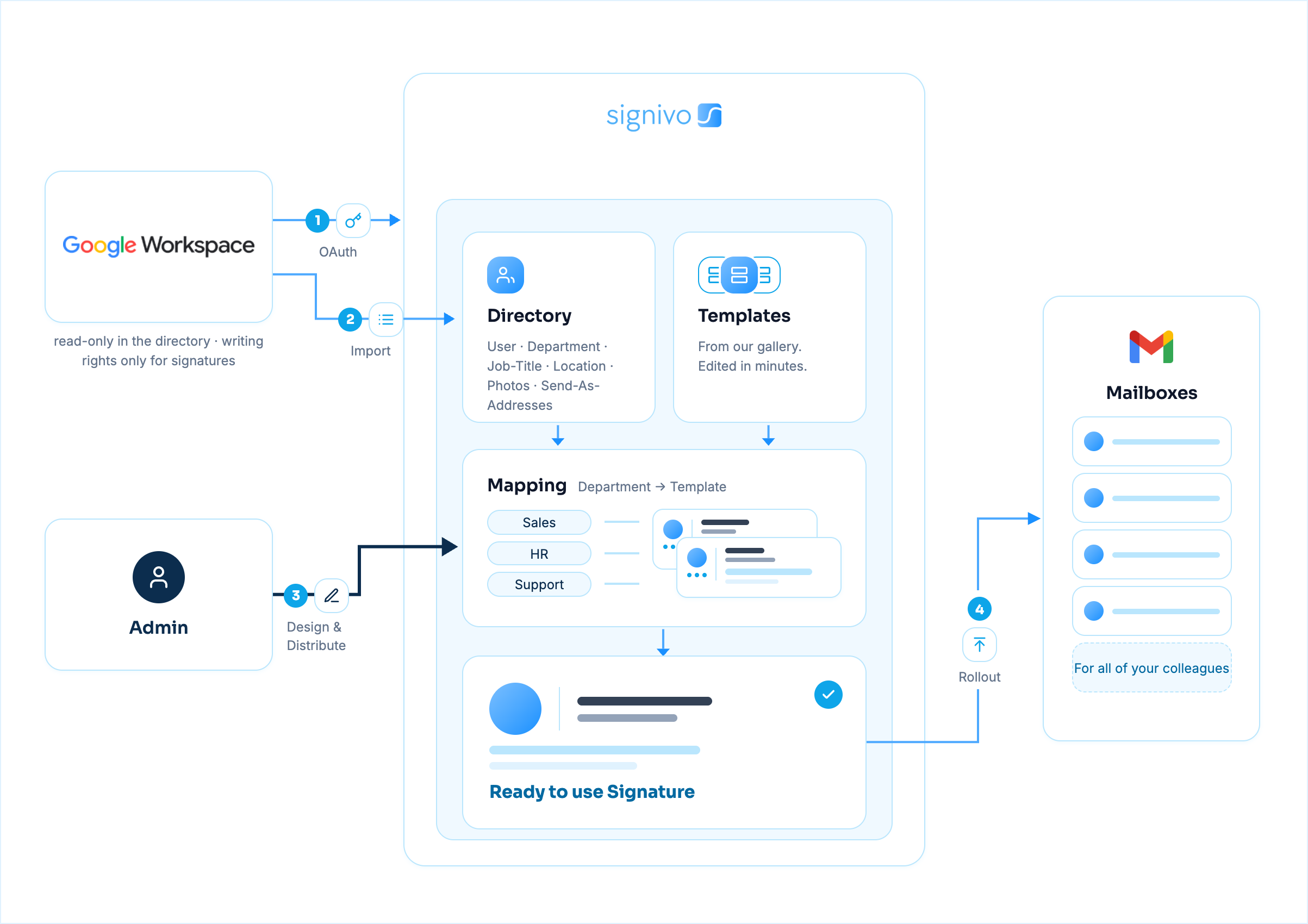
One admin, no IT project. Here is what actually happens inside Google Workspace, and where it differs from other, more complicated tools.
One Super Admin authorises Signivo once in the Google Admin console via domain-wide delegation. No per-user setup.
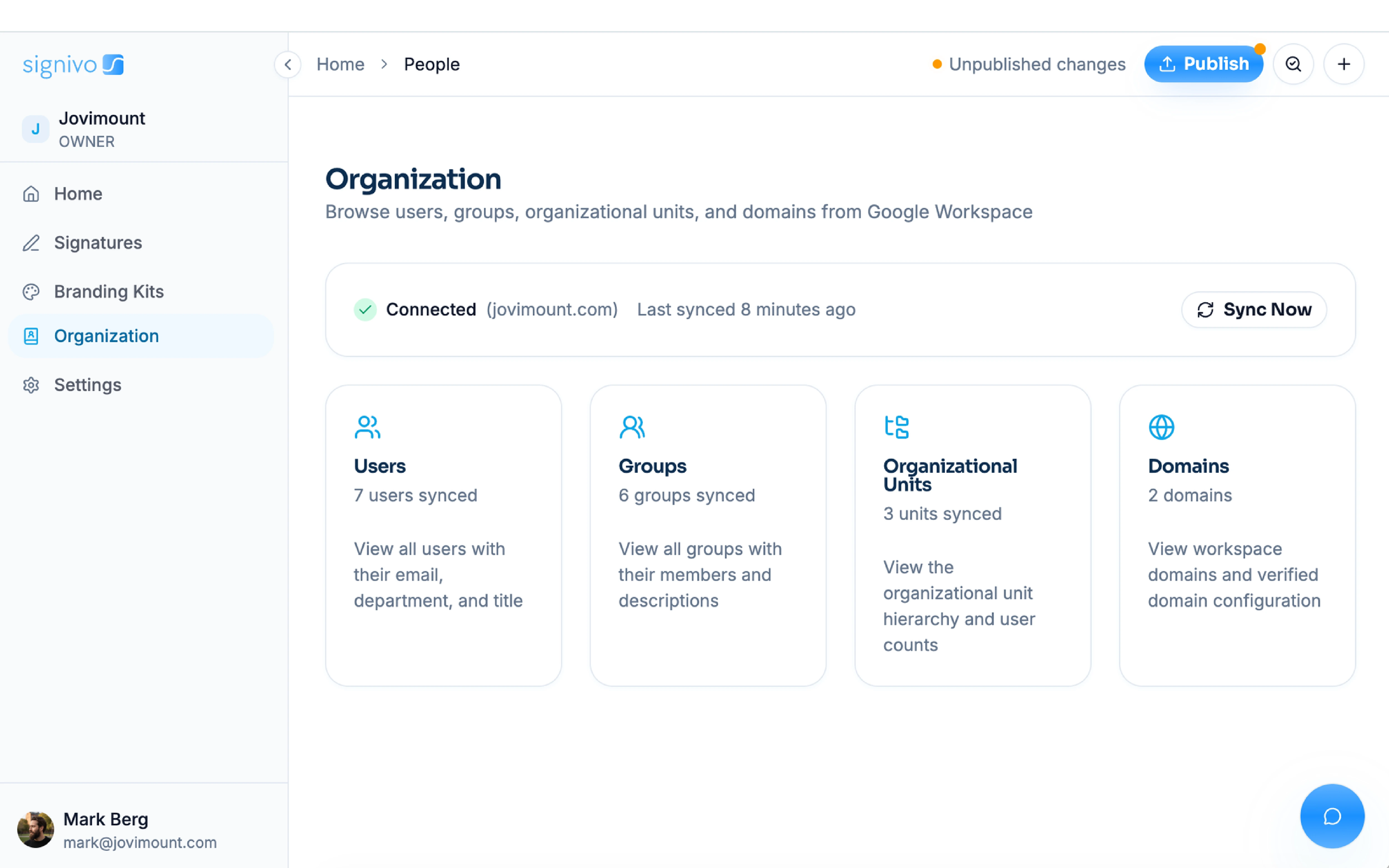
Names, contact information, titles, teams, locations and departments sync continuously from your directory, as well as new hires and changes in individual information.
The right signature per team is written into each colleague's Gmail mailbox. Your email is never routed through us.
Running Microsoft 365 instead? Here is how Signivo works with Microsoft 365.
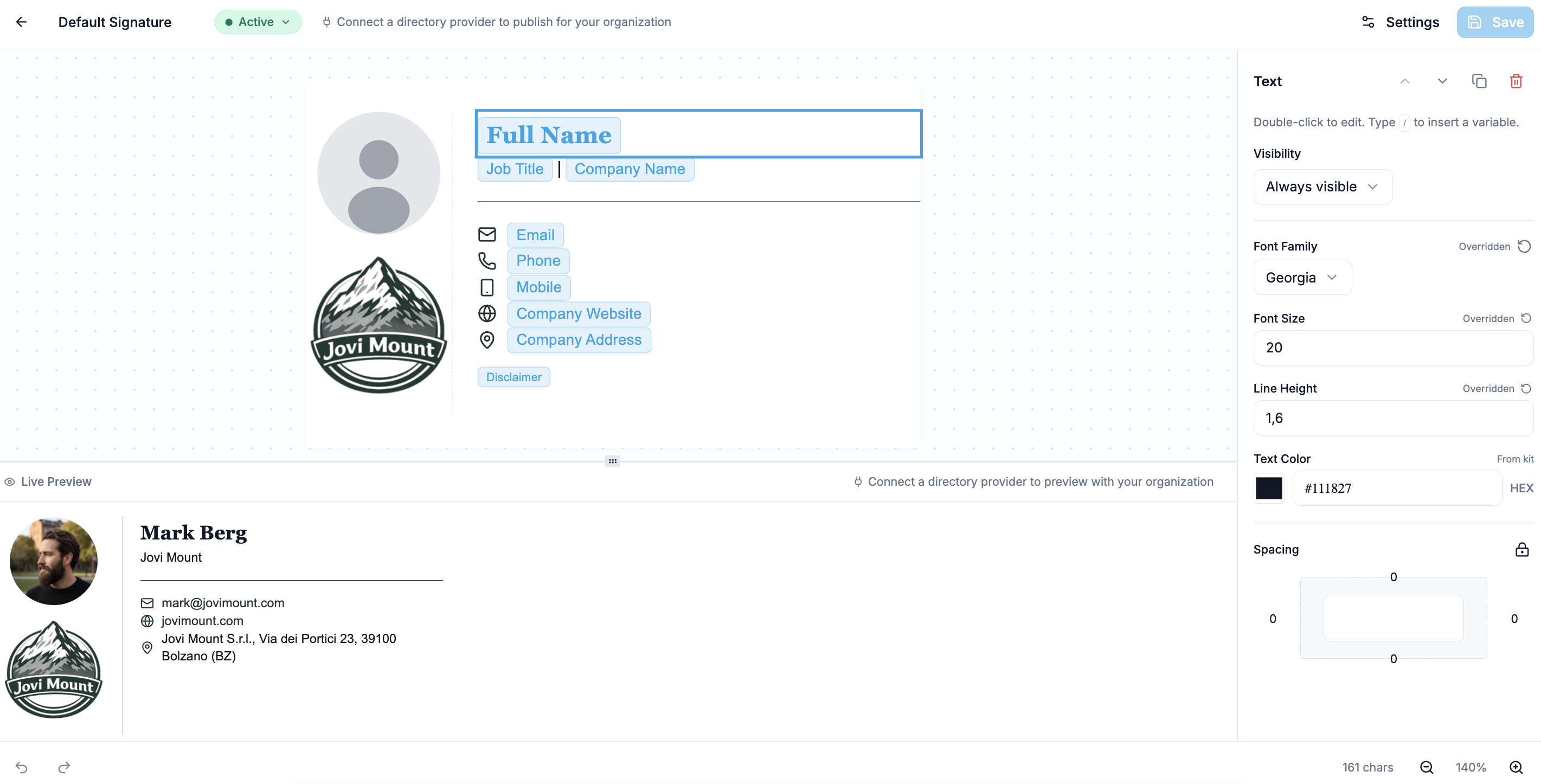
An extensive library of professional signatures, plus a drag and drop editor. Add banners and legal disclaimers, then push to the whole company in one click.
Still comparison shopping? Fair enough, we did the homework for you.
See how Signivo compares to other email signature softwareOne euro per person per month. Move the slider and see your invoice.
or €10 per user per year - two months free
Monthly or yearly billing · Cancel anytime
Set up in 2 minutes. And if you still need convincing, scroll this page again.
14 days for free · No credit card needed
Works with Google Workspace and Microsoft 365


Signivo is centralised email signature management for Google Workspace and Microsoft 365. One person sets it up for the whole company, signatures apply automatically in Gmail and Outlook, and no employee ever has to touch a signature again. Every signature stays consistent and on-brand automatically, with company-wide control over templates, banners and legal disclaimers. EU-hosted in Germany and ready in two minutes, with no onboarding or lengthy sales process. You can start today for €1 per user per month.